No view of the whole journey
See entries, transitions, top paths, and exits in one place.
User journeys
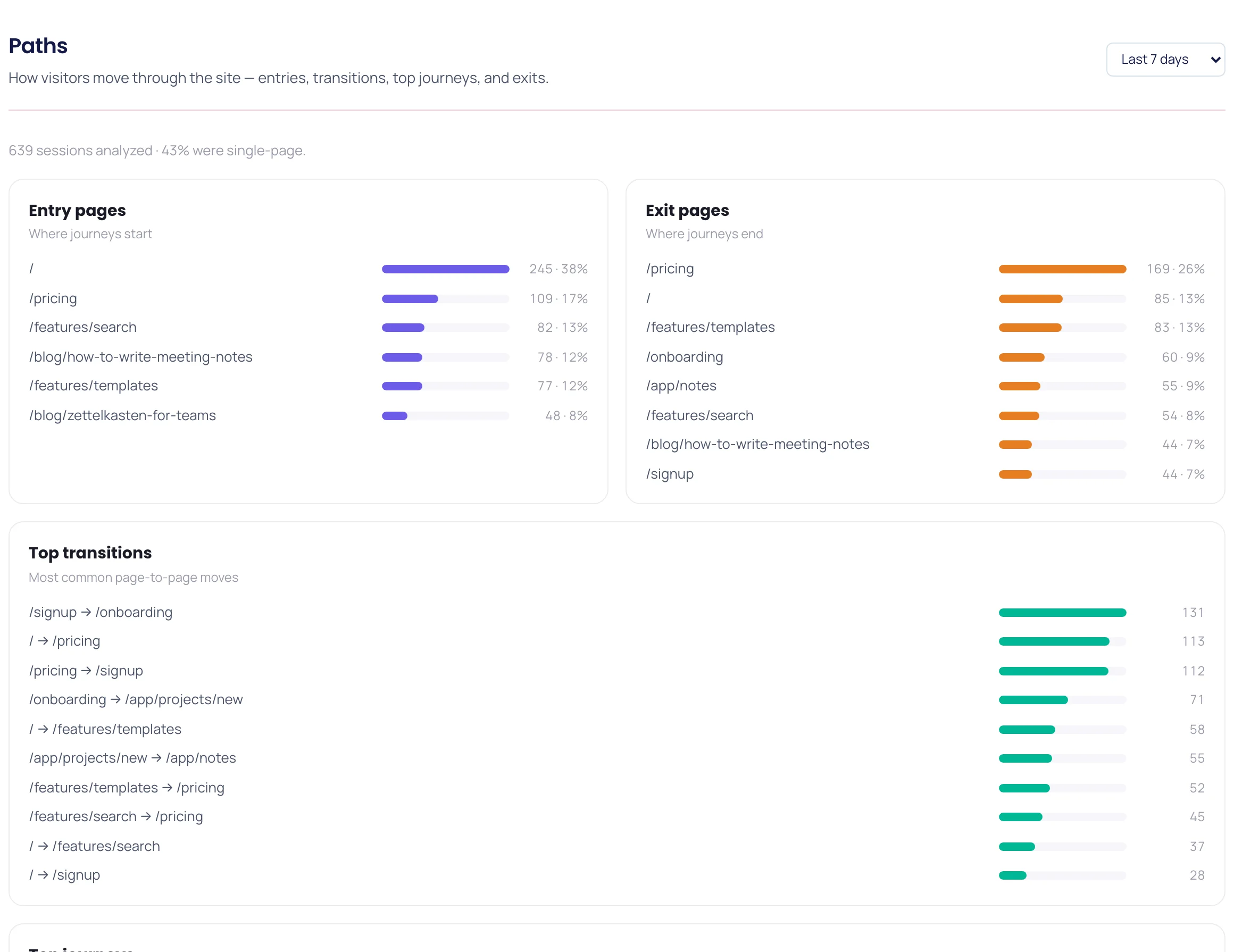
See where visitors enter, how they move between pages, the most common journeys, and where they drop off.
Problems it solves
See entries, transitions, top paths, and exits in one place.
Exit analysis shows exactly where people drop off.
Pair exit pages with heatmaps and funnels to see why people leave.
Reading a path report
When users move back and forth between two pages, they are usually looking for something that is not where they expect it. A funnel counts that as progress; a path report shows it as a loop.
Search and shared links drop people deep inside the product, past the context the homepage would have given them. Entry analysis names those pages so you can make each one a valid starting point.
One page usually splits the audience: some users go on to convert, the rest leave. Find the page where the split happens and you have found the shortest route to a higher conversion rate.
Workflow
See which pages visitors land on first.
Follow transitions and the most common journeys.
Spot where users leave, then check that page's heatmap and recordings.
What you get
| Flow | Entry pages, transitions, and top journeys. |
|---|---|
| Drop-off | Exit pages and where journeys end. |
| Context | Heatmaps and replay in the same workspace. |
FAQ
How visitors move through your site — entries, transitions, top journeys, and exits.
Yes. Open the exit page's heatmap to find the sessions behind it, or build a funnel for the journey and watch the replays of people who dropped off.
Funnels track a sequence you define; paths reveal the journeys you did not predefine.
Related pages
Install once and connect product analytics, replay, heatmaps, funnels, and feedback in minutes.
Start for free