Roadmaps based on the loudest voice
Rank requests by real votes, not opinions.
Feature voting board
Collect feature requests, let users upvote them, and rank what to build next on a public roadmap.
Problems it solves
Rank requests by real votes, not opinions.
Add requests from feedback, support, and sales conversations to one board users can vote on.
Share status updates and a public roadmap so users know what’s coming.
Workflow
Add requests from feedback and surveys, then publish the board so users can vote.
Surface demand with upvotes, counted once per browser.
Rank by votes, then update each request's status on the public roadmap.
How it works
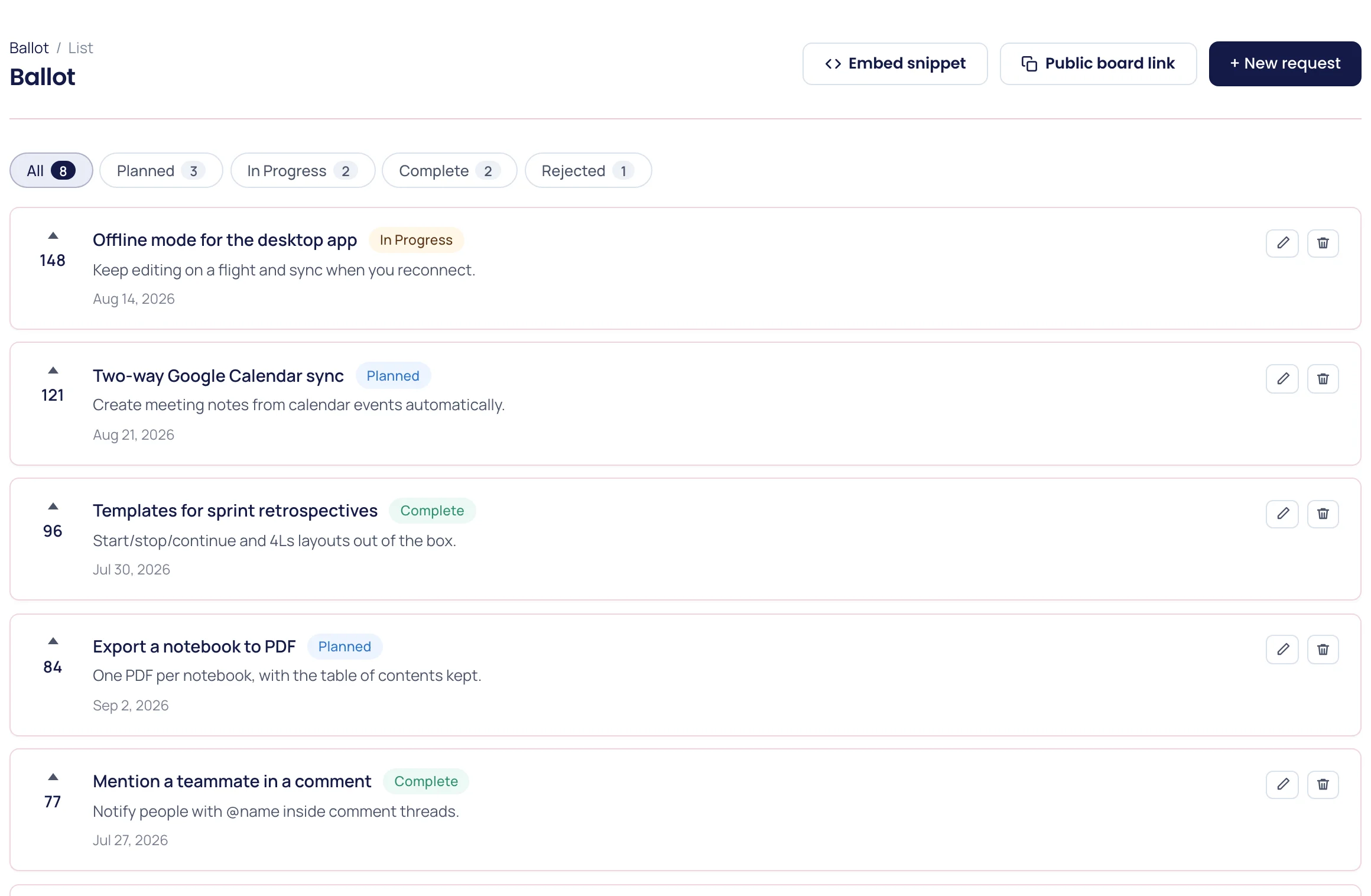
Your team adds each request to the board with a title, an optional description and a status. The public board, at its own link, shows them as a roadmap in four columns, Planned, In progress, Live and Rejected, with each column ranked by votes.
Anyone with the link can upvote without creating an account, and can take the vote back. Votes are counted once per browser. Voting closes on requests you mark as rejected, so the board stays honest about what is not coming.
Share the link wherever your users already are: the changelog, the help center, or the reply to a support ticket that asked for the feature. Or put the board on your own page with the two-line embed snippet from the dashboard, a div and a script tag; it sizes itself to fit.
By design
Visitors cannot post new ideas on the board. Collect them with a feedback widget, form or survey, merge the duplicates, and add the ones worth a vote. Fifteen clear requests get more useful votes than three hundred near-copies.
Voters do not sign in, so a vote is counted per browser, not tied to an account. Read the totals as a demand signal, and check the feedback behind a request before committing a quarter to it.
The board collects votes, not discussions. Ask follow-up questions with a survey, or reply in the help desk, where the conversation stays attached to the person who asked.
What you get
| Voting | Feature requests, upvotes, and a public roadmap. |
|---|---|
| Evidence | Requests and feedback in the same workspace as your analytics. |
| Communication | Status updates that close the loop with users. |
Running it
For the longer version, read how to run a feature voting board without letting it run you.
FAQ
A feature voting board lists feature requests and lets users upvote them, so product teams can see demand and prioritize the roadmap.
Anyone with the board link can upvote without signing in. Votes are counted once per browser, and your team decides which requests appear.
Yes. The public board is a roadmap: requests are grouped by status (Planned, In progress, Live and Rejected) and ranked by votes, so users can see what you’re building next.
FAQ
Not on the board itself. Visitors upvote the requests your team has added. Collect new ideas with a feedback widget, form or survey, then add the ones worth voting on.
Planned, In progress, Complete (shown as Live on the public board) and Rejected. Voting closes on rejected requests.
Yes. Paste the snippet from the dashboard, a div and one script tag, into any page and the live board appears there, resized to its content. Votes cast on your site count on the same board.
Yes. Every plan includes voting boards: the Free plan has one, and paid plans have more.
Related pages
Install once and connect product analytics, replay, heatmaps, funnels, and feedback in minutes.
Start for free