Product analytics for real user behavior.
Web analytics, session replay, heatmaps, conversion funnels, surveys, customer feedback forms, and lead capture for SaaS teams that need clearer product decisions.
No credit card required · Free plan available
Features
Everything your product analytics stack needs
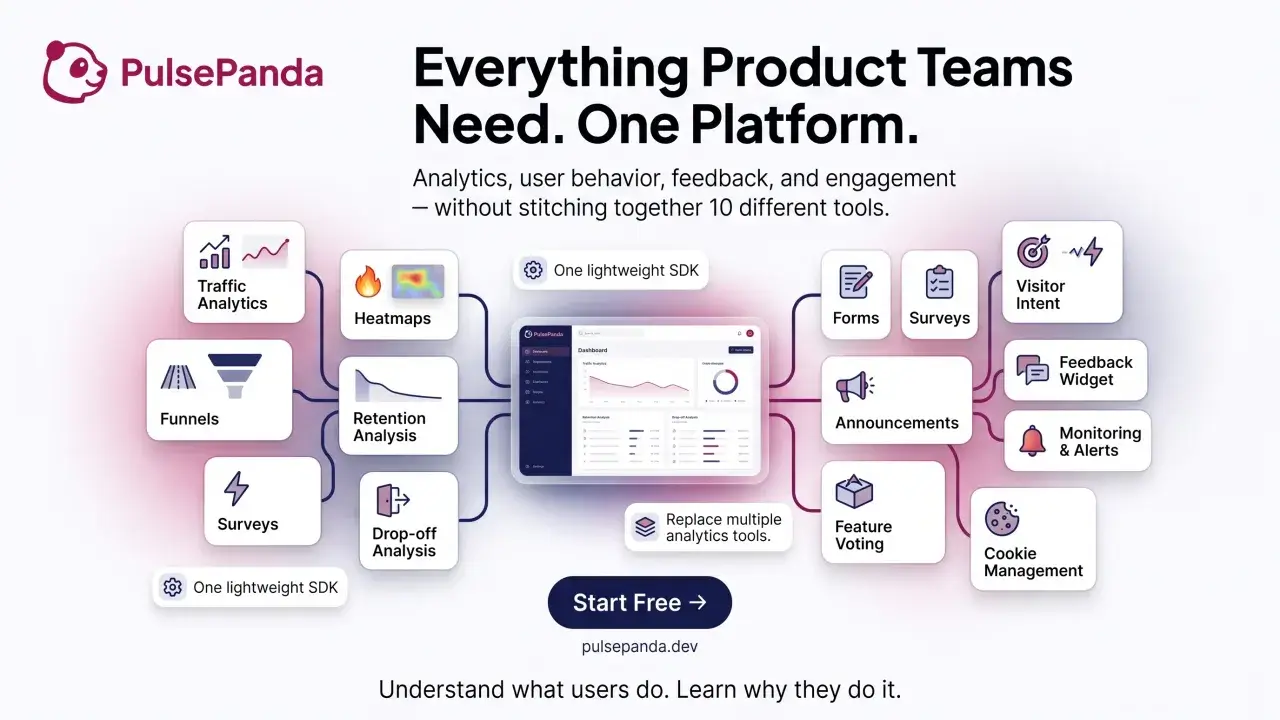
From web analytics and traffic attribution to session replays, heatmaps, conversion funnels, customer feedback tools, feature voting, forms, surveys, and announcements — all in one intuitive workspace.
Web analytics and traffic attribution
Track where users come from — organic search, paid campaigns, referrals, UTM parameters, direct visits, and conversion funnels right out of the box.
utm_source · utm_campaign
referral · organic · direct
Session replay and recording
Replay exactly what users did — mouse moves, clicks, scrolls, console logs, and JavaScript errors captured alongside every session recording.
Feature voting
Let users vote on features they want most. Prioritize your roadmap with real signal — not guesswork.
Customer feedback tool
Embed a lightweight feedback widget or customer feedback form anywhere. Capture NPS, bug reports, and open-ended user input in seconds.
Conversion funnel analytics
See where users drop off across signup, onboarding, purchase, and activation paths so you can fix the steps that slow SaaS growth.
Website heatmap analytics
Spot what gets attention with click, scroll, and engagement heatmaps that reveal the parts of each page users actually use before you redesign.
Announcements
Share launches and product updates directly inside your app so users see what changed when it matters.
Form Embed
Capture leads and gauge interest with embeddable forms. Drop them into any page — no code required — and watch submissions flow into your dashboard instantly.
Name · Email · Message
→ Dashboard submissions
Security & Scale
Grow into higher usage limits without moving your team to another platform.
Roles · per-site access
Consent logs · support
Analytics use cases
High-intent analytics topics, covered in one product
PulsePanda is built around the searches product teams make when they outgrow disconnected dashboards: product analytics software, web analytics tools, session replay, website heatmap analytics, conversion funnel analytics, and customer feedback tools.
Product analytics software
Track activation, retention signals, feature usage, and product decisions without separating dashboards from user evidence.
Explore product analyticsGoogle Analytics alternative for product teams
Use web analytics plus session replay, funnels, and feedback when pageview reports are not enough to explain behavior.
Compare the workflowWebsite heatmap tool
Combine heatmap analytics with recordings and funnel steps so click and scroll patterns lead to useful UX changes.
Explore heatmapsCustomer feedback form software
Collect feedback forms, surveys, and widget responses, with widget feedback linked to the session behind it.
Explore feedback toolsSession replay software
Watch the recordings that explain signup friction, product bugs, rage clicks, and confusing interface states.
Explore session replayConversion funnel analytics
Build funnels from what users actually do, then use recordings and feedback to explain why each drop-off happens.
Explore funnel analyticsSearch analytics
Google and Bing clicks, impressions and position beside the bounce, errors and conversions of the visitors they sent.
Explore search analyticsHelp desk with session replay
Support email and feedback arrive as tickets with the replay, console log and errors attached, and bugs escalate to Linear, GitHub or Jira.
Explore the help deskCookie consent management
Show a GDPR and CCPA consent banner, block tracking until visitors opt in, and keep a consent log — no separate consent tool.
Explore cookie consentJavaScript error tracking
See errors grouped by message and ranked by how often they fire, then jump straight to the session replay that reproduced each one.
Explore error trackingKPI alerts and monitoring
Set KPI goals, get threshold alerts when metrics move, save segments, and receive a weekly email digest of what matters.
Explore KPI alertsCohort retention analysis
See what share of each cohort comes back over time, by week or month.
Explore retentionUser journey analytics
Follow entry pages, transitions, top journeys, and exits across your site.
Explore user journeysVisitor intent and buying signals
Rank visitors by buying signals so sales and growth know who to reach out to, with the behavior behind every score.
Explore visitor intentConnect your AI assistant
Link Claude or ChatGPT through a secure MCP server and let it read analytics and manage forms, surveys, your roadmap, and announcements — with access you scope and revoke.
Explore connect your AIProduct event tracking
Autocapture clicks and page views, define events from the dashboard without a deploy, and send your own with PulsePanda.track().
Explore event trackingPulsePanda for WordPress
Free WordPress plugin — paste your Project ID for analytics, heatmaps, and session replay, no theme edits.
Explore WordPress analyticsPulsePanda for Shopify
Add analytics, heatmaps and session replay to your Shopify store with our app on the Shopify App Store. No theme code.
Explore Shopify analyticsHow it works
Up and running in minutes
Install once. Understand everything.
Install the snippet
Add one <script> tag to your app. PulsePanda starts tracking immediately — no complex setup required.
Configure your tools
Enable session recordings, add a feedback widget, create a feature vote, or build a form — all from a visual dashboard.
Ship what users want
Watch replays, read feedback, review votes. Build a roadmap grounded in real user intent.
Love from our users
Product teams can't stop talking about it
"PulsePanda replaced three separate tools we were paying for. Session recordings + feedback in one place is a game-changer for analysis."
"The feature voting alone is worth it. Our users feel heard, and our roadmap is finally data-driven. Setup was genuinely 5 minutes."
"The console log capture alongside session recordings is brilliant. We caught a nasty bug we never would have found otherwise."
FAQ
Common questions
Is there a free plan?
Does session recording slow down my app?
Can I use multiple features together?
How do I export my data for further analysis?
How many sessions can I record per month?
The team
Built by real engineers
We've worked on products large and small. We built PulsePanda because we needed it ourselves.
Start understanding your users today
Free trial, no credit card needed. Get insights in minutes.
Start for free →