Rankings that say nothing about outcomes
Search Console ends at the click. PulsePanda continues the row: sessions, bounce rate, JavaScript errors, rage clicks, average time and how many visitors reached a pricing, signup, contact or checkout page.
Search analytics
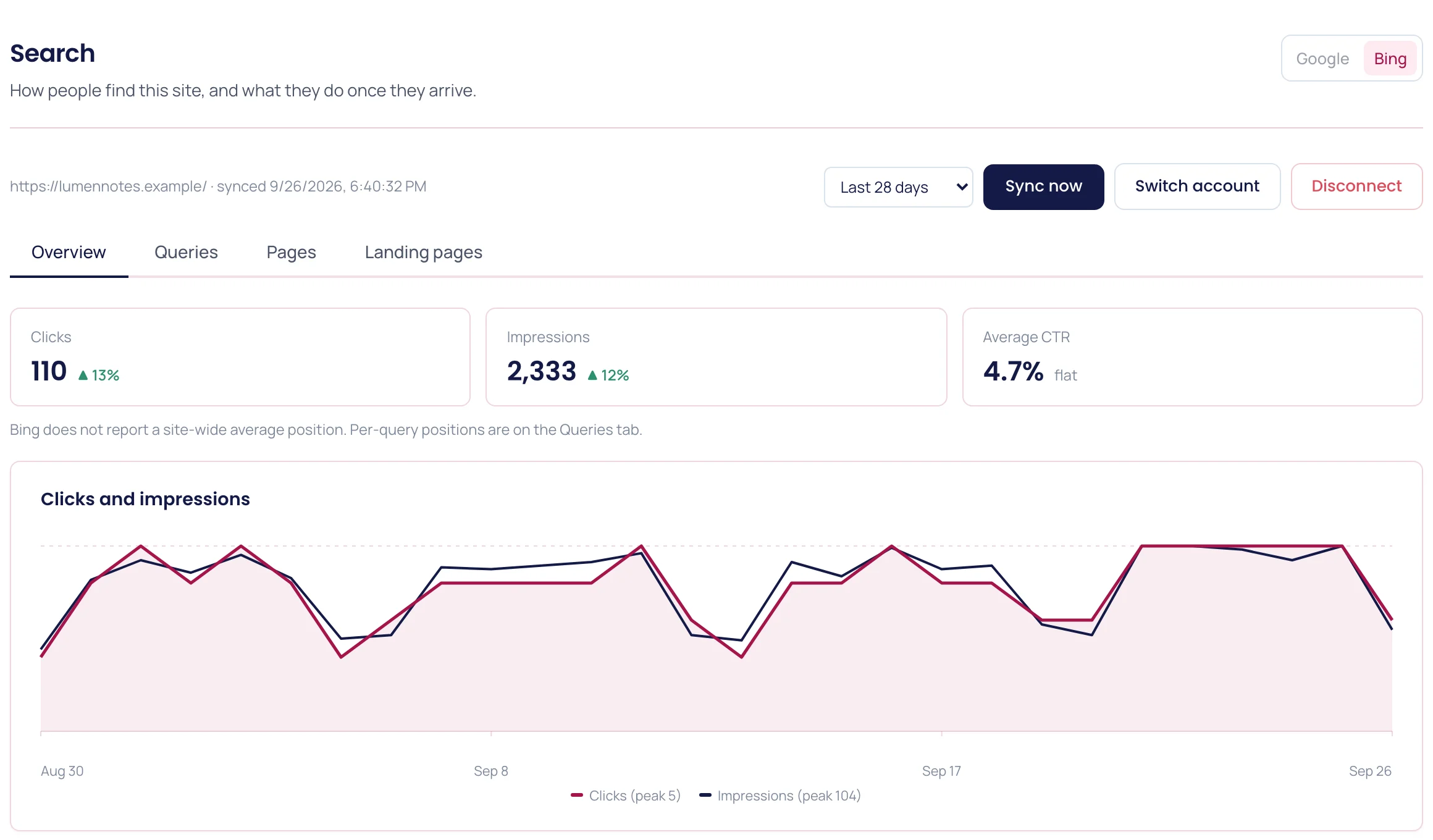
Connect Google Search Console and Bing Webmaster Tools, and PulsePanda puts clicks, impressions, CTR and position next to the sessions they produced — bounce, errors, rage clicks and whether anyone reached a pricing or signup page.
Problems it solves
Search Console ends at the click. PulsePanda continues the row: sessions, bounce rate, JavaScript errors, rage clicks, average time and how many visitors reached a pricing, signup, contact or checkout page.
Queries sitting just off page one, pages clicked far below the CTR you normally earn at that position, impressions with no clicks at all, and terms quietly losing clicks — surfaced and ranked by the impressions at stake.
One workspace, one date range. Compare 7, 28 or 90 days against the period before it without exporting anything or lining up two dashboards by hand.
Workflow
Sign in with Google, Microsoft or both, and pick the property that matches your site. PulsePanda reads your search data; it never posts or changes anything in either account, and you can disconnect whenever you want.
Your history is pulled in the background and refreshed on a schedule: up to 16 months from Google, and about six months from Bing. Queries and pages land alongside the analytics PulsePanda already collects for the same URLs.
Start with the opportunities and the action items generated after each sync. Fix the page, dismiss what you have handled, and check the landing page table to see whether the visitors that followed behaved any differently.
What you get
| Sources | Google Search Console with country and device breakdowns and action items after each sync, plus Bing Webmaster Tools queries, pages and landing page behavior. |
|---|---|
| Measure | Clicks, impressions, CTR and average position, each compared with the previous period, plus the daily trend and a breakdown by device and country. |
| Prioritize | Queries and pages close to page one, under-clicked against their expected CTR, never clicked, or losing clicks — ordered by the impressions you stand to gain. |
| Connect | A landing page table that puts search clicks and position beside sessions, bounce rate, error rate, rage clicks, average time and visitors who reached intent. |
FAQ
No, and it does not try to. Search Console stays the place for indexing, coverage and manual actions. PulsePanda reads the same performance data and joins it to the behavior of the visitors it sent you, which is the part Google cannot show.
Google Search Console and Bing Webmaster Tools. Bing reports queries and pages in weekly buckets and has no country, device or site-wide average position, so those views are Google-only.
No. PulsePanda reports on the search traffic your own property actually receives. Link indexes, keyword databases and competitor rank tracking are deliberately out of scope — we would rather do the join nobody else does than ship a worse version of an SEO suite.
Read-only access to the search data for the property you select, in Google Search Console or Bing Webmaster Tools. Nothing is published, edited or deleted in either account, and disconnecting in PulsePanda stops the sync immediately. Bing offers no way for us to withdraw the permission ourselves, so also remove PulsePanda in Bing Webmaster Tools if you want that access gone.
Almost always because the PulsePanda snippet is not installed on that URL, or it is blocked before it loads. The table flags those rows as untracked rather than reporting a zero, so a gap in instrumentation never reads as a page nobody engaged with.
Related pages
Install once and connect product analytics, replay, heatmaps, funnels, and feedback in minutes.
Start for free